Github: https://github.com/jpitc-ca/palo-mcp
1. What is it Link to heading
In this lab we will deploy a Palo Alto MCP server, n8n and cloudflare tunnel with docker-compose. We will then build and configure a workflow that integrate Microsoft Teams. This will allow us to query/configure the Palo Alto firewall directly from Teams
https://jpitc.ca/posts/palo/palo_mcp_002/
This lab contains:
MCP server dockerization and integration
- MCP server to operate as a remote service using Streamable HTTP transport protocol
- Containerizion of the Python-based MCP server and deployment using docker-compose
- Integration of the MCP server into n8n for workflow orchestration
n8n deployment and remote access
- n8n deployment using docker-compose
- Cloudflare tunnel deployment using docker-compose
- Basic configuration of Cloudflare tunnel + Applications routes + IP restriction
n8n Microsoft Teams workflow
- EntraID Enterprise apps for n8n
- Teams node integration into n8n
- workflow logic
n8n is a workflow automation platform
https://n8n.io
Cloudflare Tunnel securely exposes private services to the internet without opening inbound ports.
https://developers.cloudflare.com/cloudflare-one/networks/connectors/cloudflare-tunnel/
Docker Compose is a tool for defining and running multi-container applications
https://docs.docker.com/compose/
Project Structure
.
|-- .env
|-- docker-compose.yml
`-- paloalto-mcp-advanced
    |-- Dockerfile
    |-- main.py
    |-- requirements.txt
    `-- tools
        |-- __init__.py
        |-- objects
        |   |-- __init__.py
        |   |-- create_address_object.py
        |   |-- delete_address_object.py
        |   |-- list_address_objects.py
        |   `-- update_address_object.py
        |-- op
        |   |-- __init__.py
        |   `-- operational_command.py
        `-- security_policies
            |-- __init__.py
            |-- create_security_policies.py
            |-- delete_security_policy.py
            |-- list_security_policies.py
            `-- update_security_policy.py

6 directories, 18 files
2. Why do this Link to heading
This workflow allow firewall engineer to directly query or configure their Palo Alto firewall from Microsoft Teams. n8n is an automation platform that allows us to build any type of workflow using AI agents, LLM and MCP servers.
3. Diagram Link to heading
4. Lab Link to heading
4.1 Docker MCP Server Link to heading
git clone https://github.com/jpitc-ca/palo-mcp.git
git clone the project, this lab will be in folder 003-n8n
The only difference in this lab and the previous one, is that the MCP server will be using HTTP Streamable instead of stdio as its transport protocol.
This allow us to run the server remotely instead of locally.
https://modelcontextprotocol.io/specification/2025-06-18/basic/transports#streamable-http
server.run(
    transport="http",
    host="0.0.0.0",
    port=8000
)
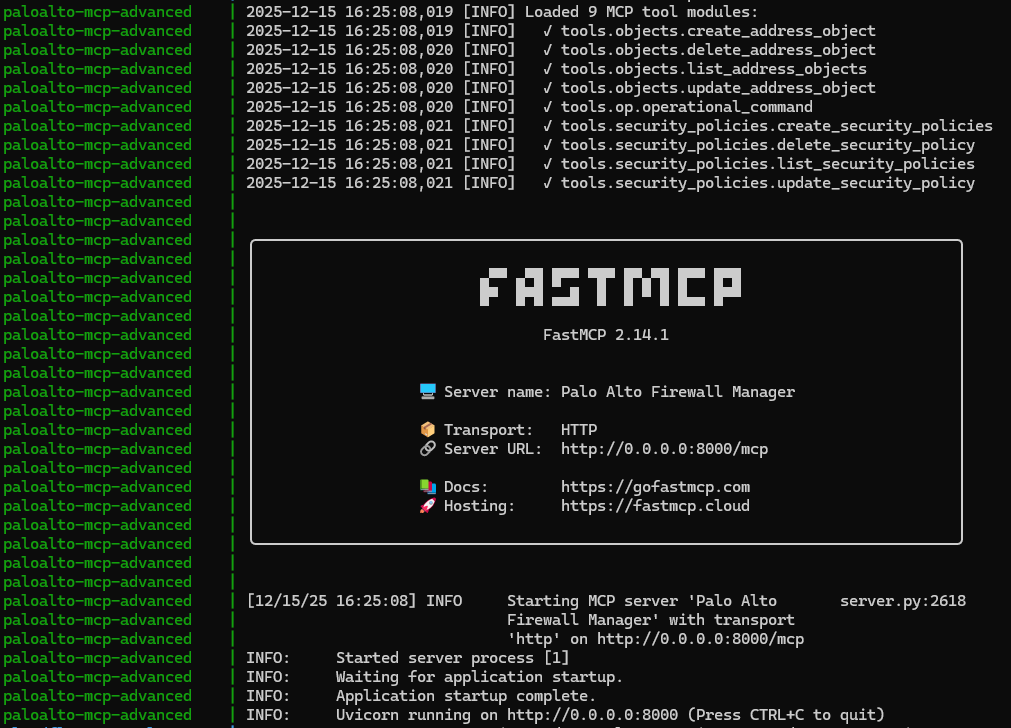
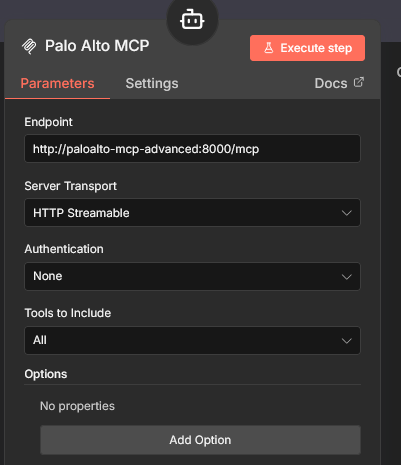
This will provide an HTTP endpoint that support POST and GET requests http://paloalto-mcp-advanced:8000/mcp
docker-compose Link to heading
  paloalto-mcp-advanced:
    container_name: paloalto-mcp-advanced
    build:
      context: ./paloalto-mcp-advanced
      dockerfile: Dockerfile
    expose:
      - "8000"
    environment:
      - PYTHONUNBUFFERED=1
      - FIREWALL_IP=${FIREWALL_IP_ADVANCED}
      - FIREWALL_API_KEY=${FIREWALL_API_KEY_ADVANCED}
    networks:
      - mcp-network
build from the Dockerfile, and import environment variable from the .env file
- Dockerfile simply install
requirements.txtand copy all file in sub-folders - env var relevant to Palo Alto:
FIREWALL_IP_ADVANCEDandFIREWALL_API_KEY_ADVANCED
4.2 n8n Link to heading
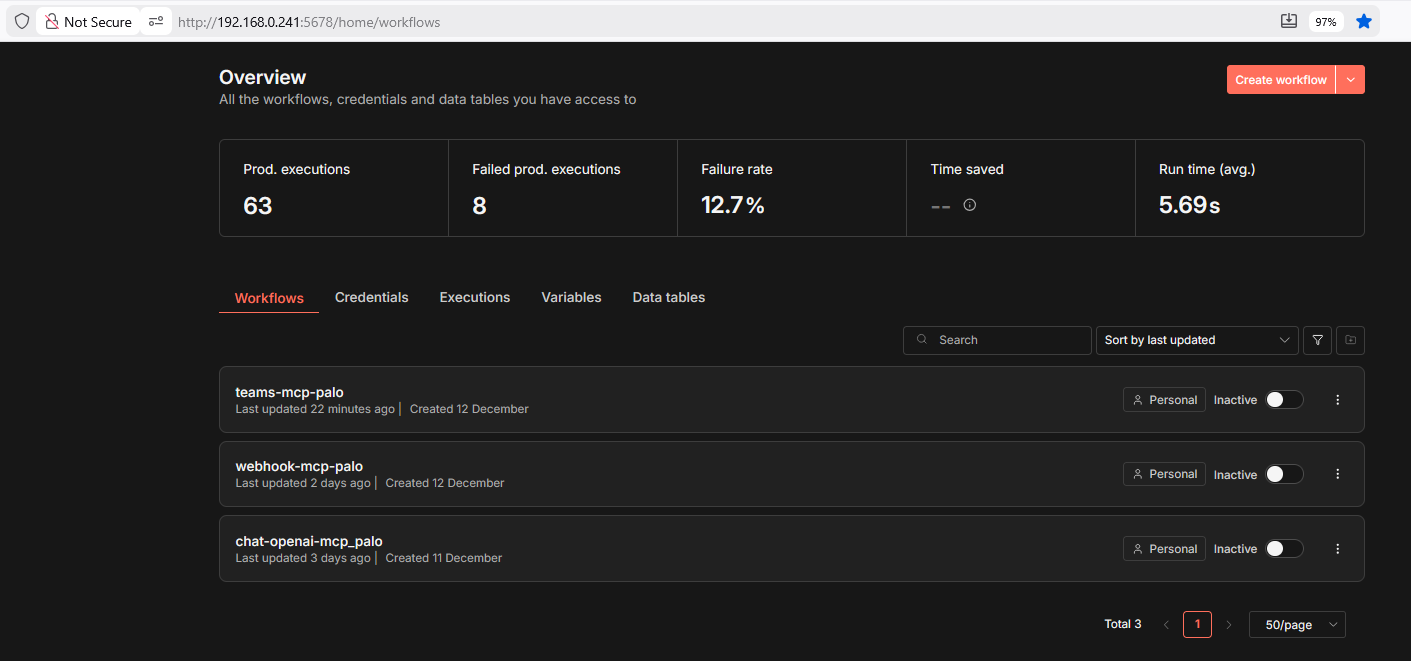
The goal is to deploy n8n using Docker Compose, keeping the management interface accessible locally, while exposing just the Teams endpoint through Cloudflare tunnels
4.2.1 n8n deployment Link to heading
  n8n:
    image: n8nio/n8n:latest
    container_name: n8n
    ports:
      - "5678:5678"
    environment:
      - GENERIC_TIMEZONE=America/Toronto
      - N8N_BASIC_AUTH_ACTIVE=false
      - N8N_EDITOR_BASE_URL=https://${CLOUDFLARE_FQDN}/
      - WEBHOOK_URL=https://${CLOUDFLARE_FQDN}/
      - N8N_PROXY_HOPS=1
      - N8N_PROTOCOL=http
      - N8N_HOST=${CLOUDFLARE_FQDN}
      - NODE_ENV=production
      - N8N_SECURE_COOKIE=false
    volumes:
      - n8n_data:/home/node/.n8n
      - /var/run/docker.sock:/var/run/docker.sock
    depends_on:
      - paloalto-mcp-advanced
    networks:
      - mcp-network
This will download the image for n8n and expose the TCP5678 port of your docker host IP.
4.2.2 cloudflare tunnel Link to heading
https://developers.cloudflare.com/cloudflare-one/networks/connectors/cloudflare-tunnel/
In order to create a Cloudflare tunnel, you have to buy a domain from them or to point your nameserver of your existing domain to Cloudflare.
I choose the second option:
PS C:\Users\JeremyPage> nslookup -type=NS jeremypageitcompany.com

Non-authoritative answer:
jeremypageitcompany.com nameserver = alexia.ns.cloudflare.com
jeremypageitcompany.com nameserver = ivan.ns.cloudflare.com
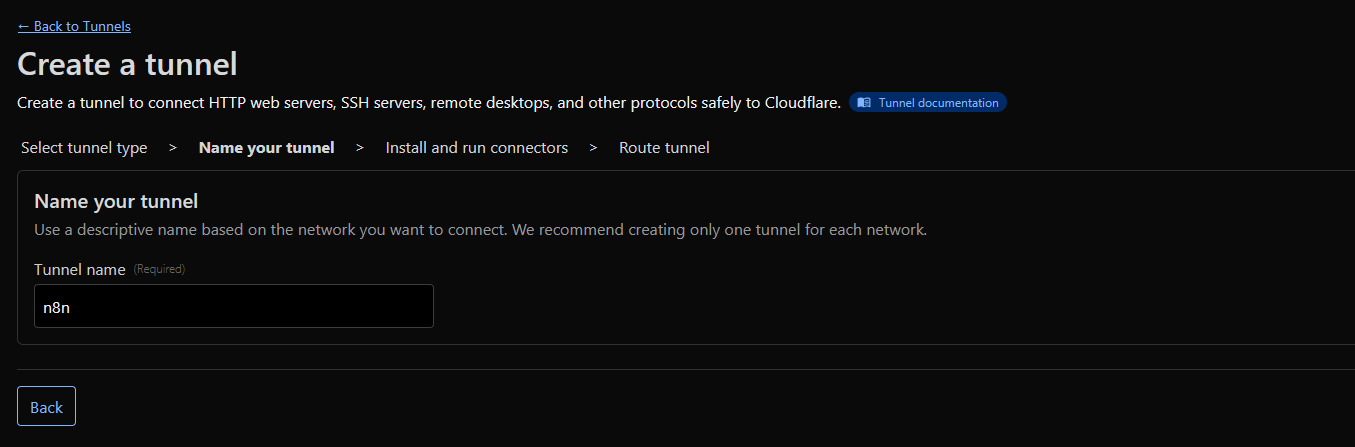
Create a Cloudflare tunnel, give it a name n8n
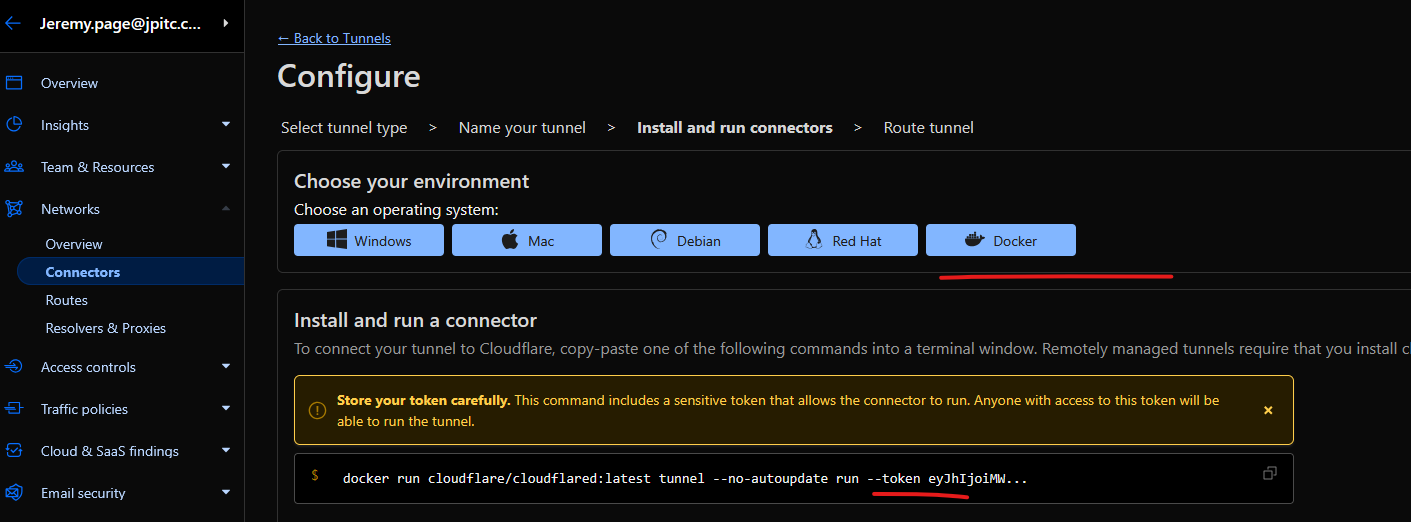
Select Docker Environment and copy the token
Publish application routes for your tunnel.
/rest/oauth2-credential/callback/webhook/*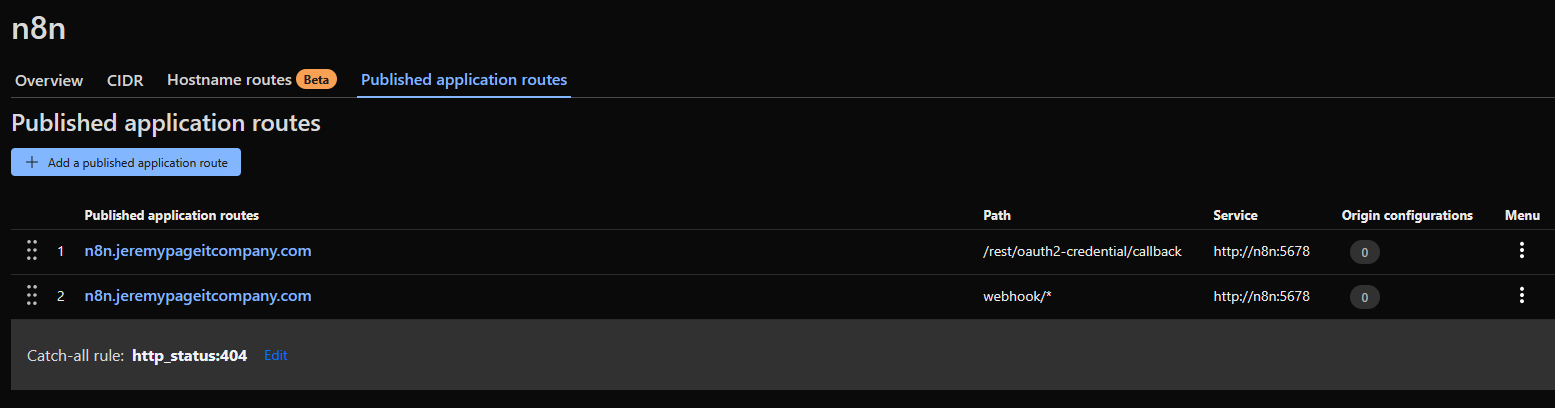
Docker Compose Link to heading
  cloudflare-tunnel:
    image: cloudflare/cloudflared:latest
    container_name: cloudflare-tunnel
    command: tunnel run
    environment:
      - TUNNEL_TOKEN=${CLOUDFLARE_TUNNEL_TOKEN}
    networks:
      - mcp-network
    depends_on:
      - n8n
    restart: unless-stopped
Also you will need to set up your environment variable CLOUDFLARE_TUNNEL_TOKEN and CLOUDFLARE_FQDN
Source IP Restriction Link to heading
In Cloudflare, you can create policies to allow or deny access to your tunnel based on the source IP.
- Since it will be Microsoft Teams that will initiate the communication, I added a couple of their prefixes to the rule
- The rest of the request will be denied by default
- action Service Auth will bypass the auth that is normally required by a Identity Provider
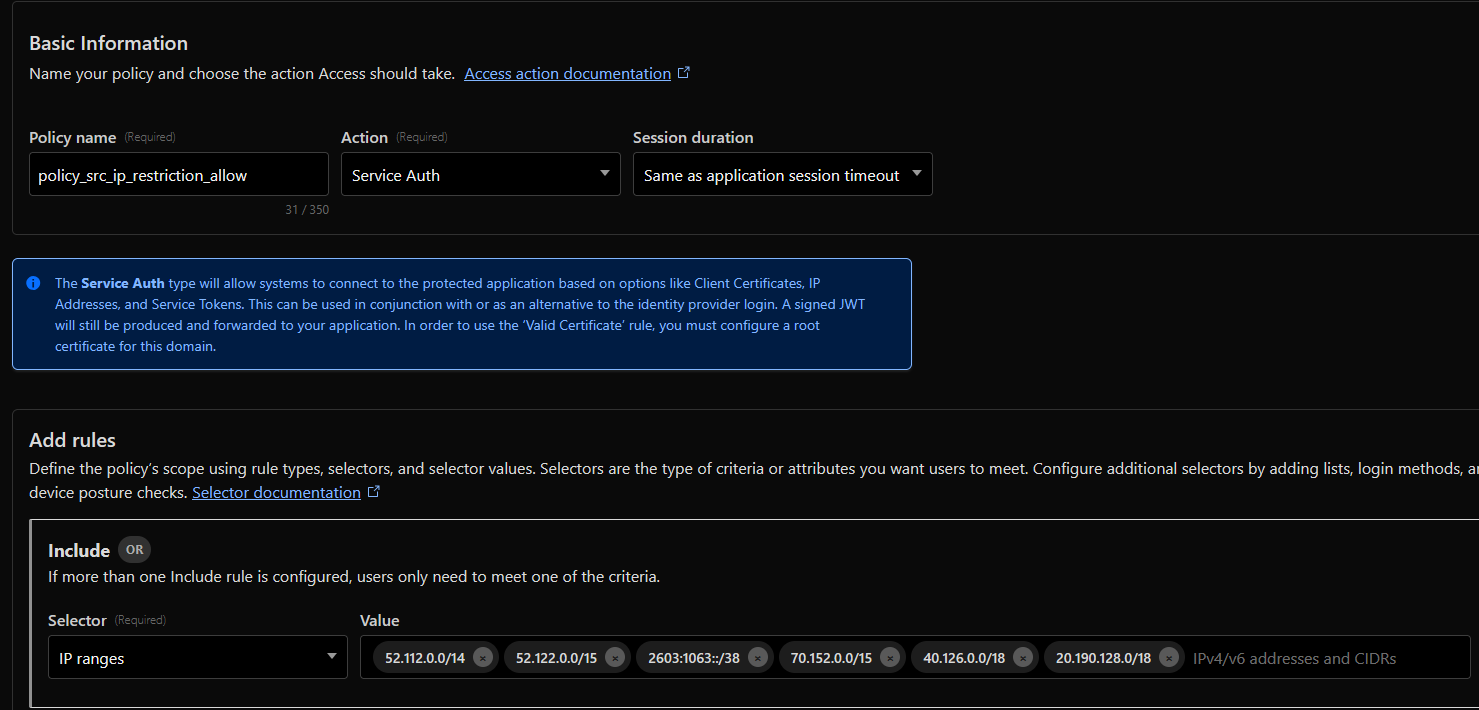
After the rule is created, you apply it to an Access controls - Applications that reference your n8n fqdn
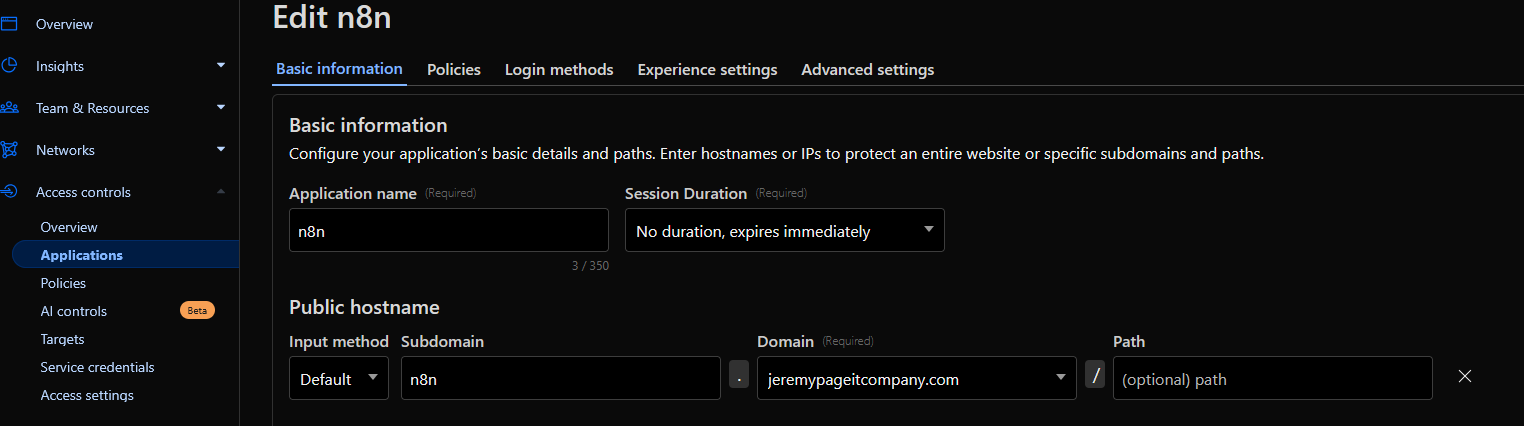
you can see them with the API with this script: https://developers.cloudflare.com/analytics/graphql-api/tutorials/querying-access-login-events/
4.3 Teams Workflow Link to heading
4.3.1 EntraId App Registration Link to heading
Register a new application in EntraID
- Account type: Accounts in any organizational directory
- Redirect URI: Web - https://{your-domain}/rest/oauth2-credential/callback
Also, create a Client Secret for that app and put it into your credential configuration in n8n.
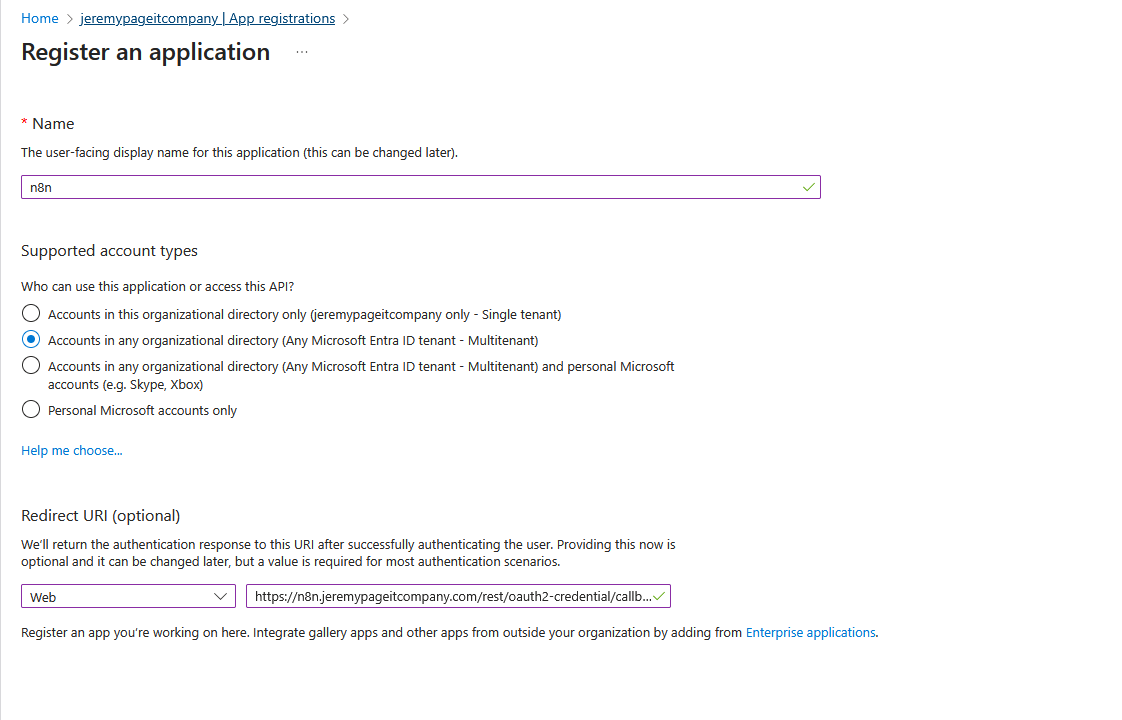
Notice that this is the same URL that was configured in Cloudflare as application route for your tunnel
4.3.2 n8n Teams node Link to heading
First, you need to create credential to connect n8n to the EntraID Applications.
- Microsoft Teams OAuth2 API
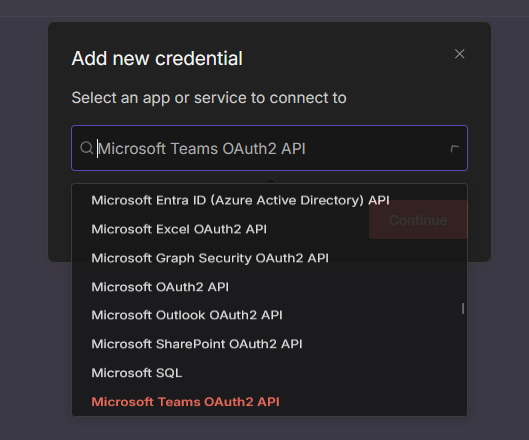
- Client ID
- Client Secret
Once you connect it, it will auto create the required API permission on you entraID app
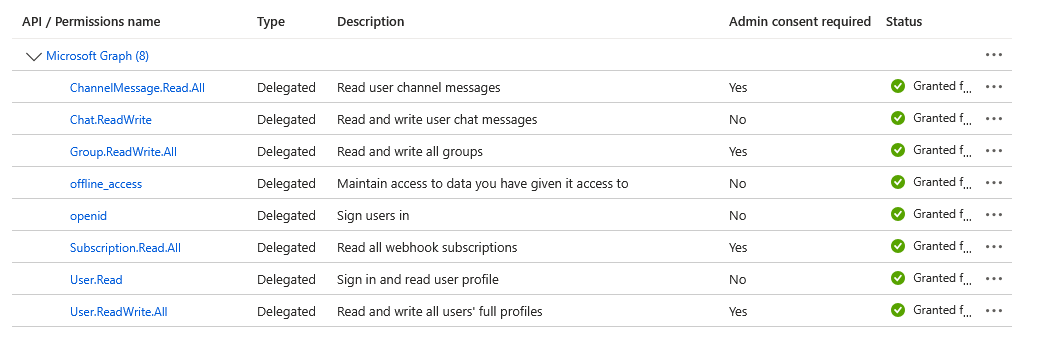
In this workflow, you will need 3 type of Teams node in n8n:
- Teams Trigger for new Chat message on speicifc conversation
- Get chat message fetch the chat body based on the trigger chat ID
- Create chat message reply to the conversation
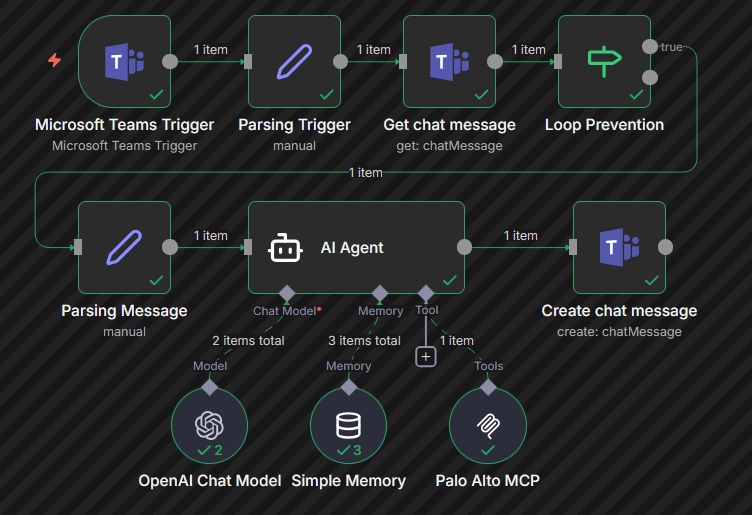
4.3.3 n8n Teams worfklow Link to heading
for the AI Agent node there are a couple of connections items to know about:
- inputthis is the chat body coming from Teams trigger
- output this is what will be replied to the Teams conversation
- Model this is your LLM, in that case I was using OpenAI LLM with an API key
- Memory simple memory is good enough
- Tool This is the Palo Alto MCP server that was put into a container
4.3.4 worfklow test Link to heading
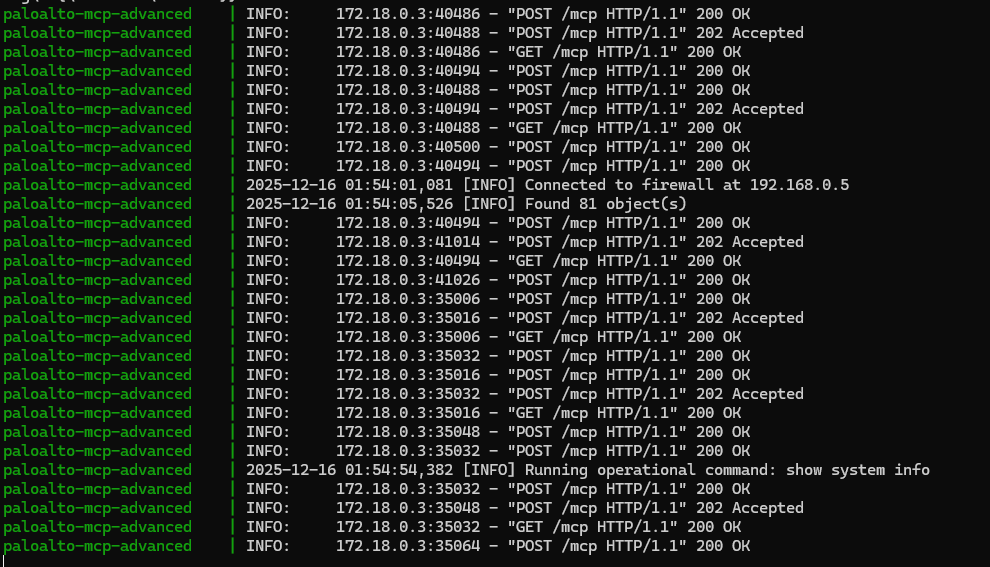
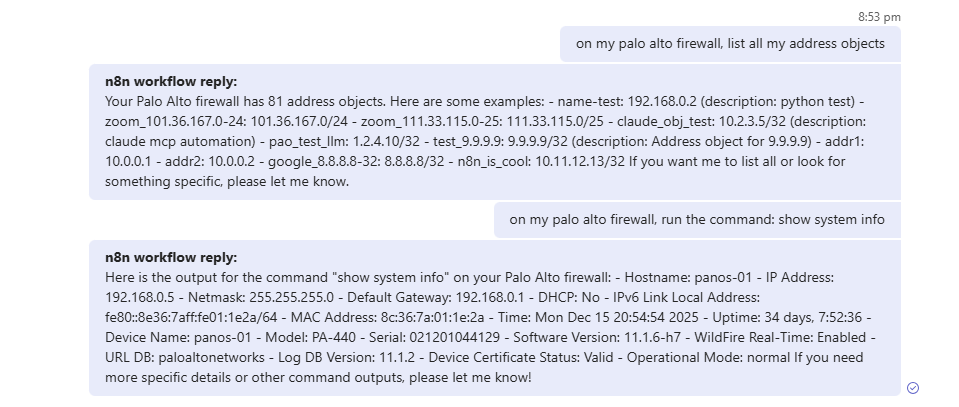
send a message in Teams to query something on the Palo Alto firewall that is supported by the MCP server.
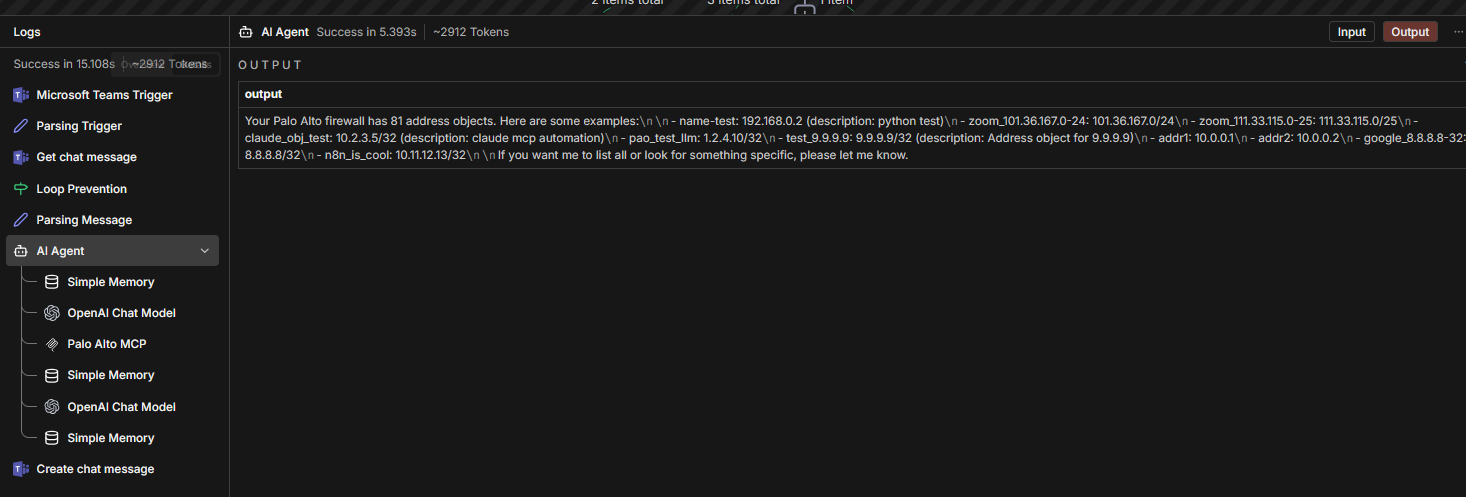
check the execution in n8n
validate the MCP server log in docker