1. What is it Link to heading
In this lab, I will show you how to configure Firefox browser to be used when traffic is being decrypted by a Palo Alto.
We will see that there is 2 ways that can be used to enable Firefox.
- Manual Import of certificate
- Configure firefox to use the Windows Certificate store
2. Why do this Link to heading
As opposed to Chrome and Edge, Firefox does not use the Windows Certificate store, it uses its own.
This breaks decryption because the RootCA/SubCA used for decryption is not known by the firefox store.
Enabling this feature on firefox will enable users to uses firefox when browsing and Palo Alto to decrypt the traffic without issues.
3. Diagram Link to heading
his is the same Lab as created in the other video previously.
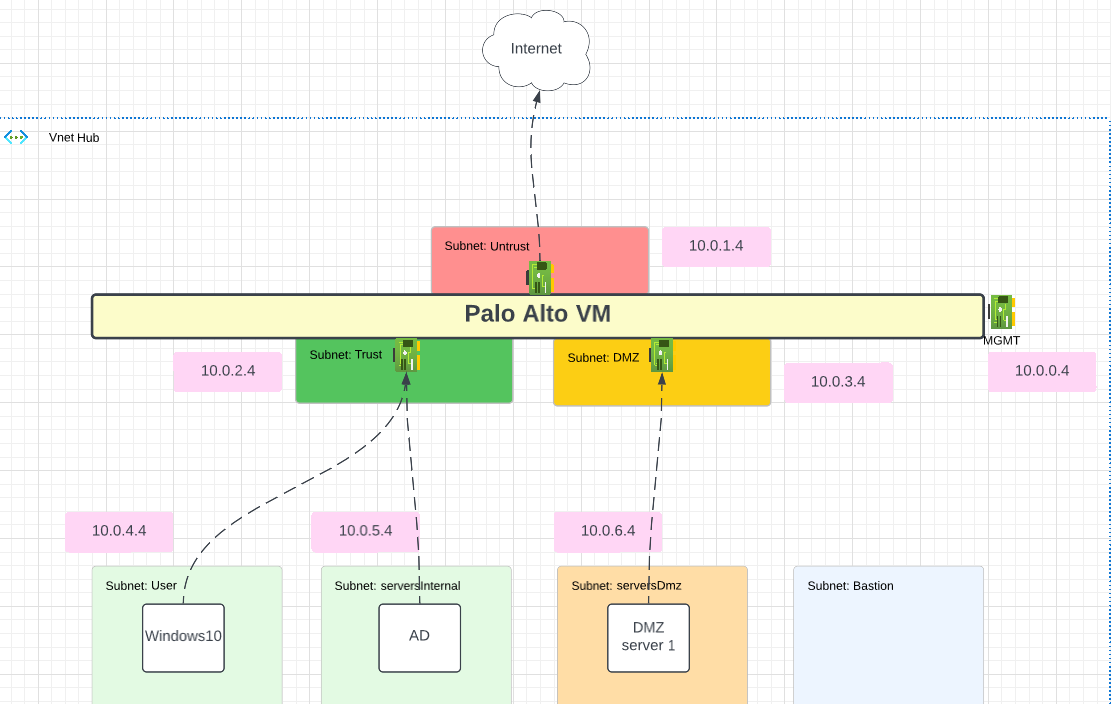
The default route for W10 and AD is the Trust NIC of the Palo Alto in Azure.
To follow me with this lab, you can go to my other post that show how to deploy that lab in Azure with Terraform: Lab Deployment Post
To configure decryption uses one of the following:
4. Lab Link to heading
4.1 Manual import Link to heading
By default, Firefox will not trust the Windows Certificate Store.
This is because the RootCA signing the SubCA is either self-signed or coming from your PKI and is not trusted by de browser public CA store.
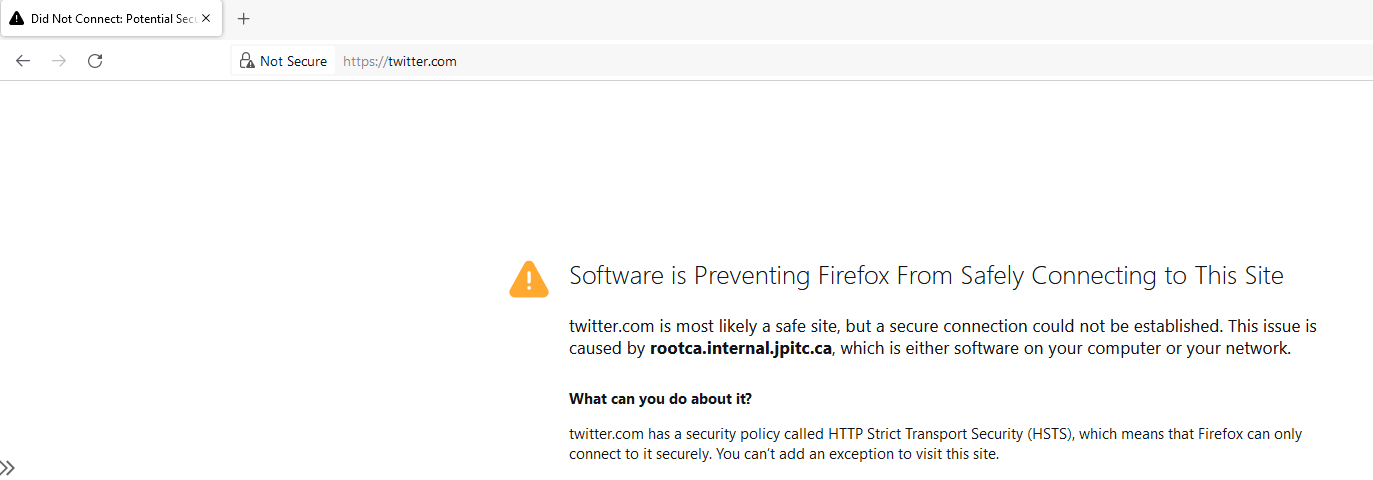
One way to fix this is by manually importing the Root CA into the Certificate Store of Firefox.
Export the RootCA from the Palo or PKI.
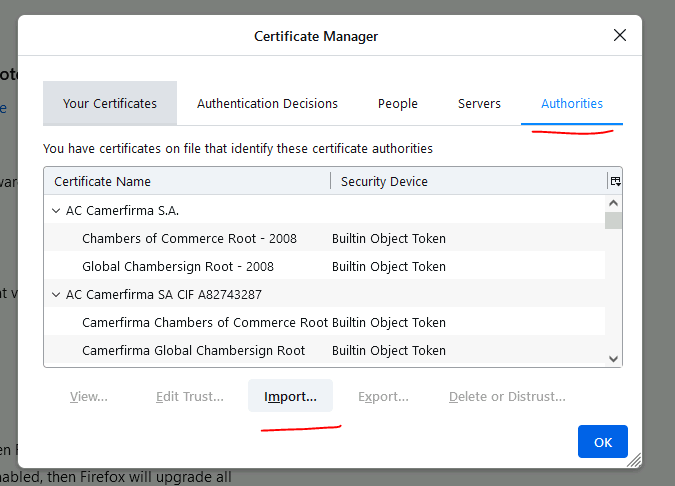
Open Firefox: Settings - Privacy and Security - View Certificate - Authorities Menu
Click on Import.
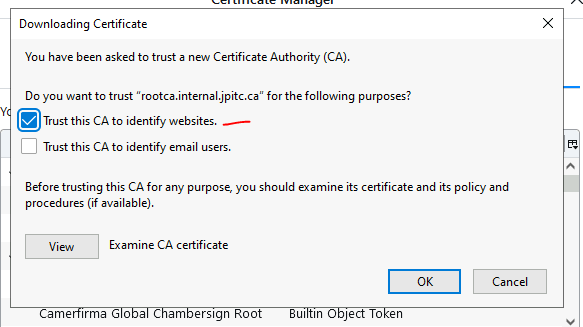
select: Trust this CA to identify webites.
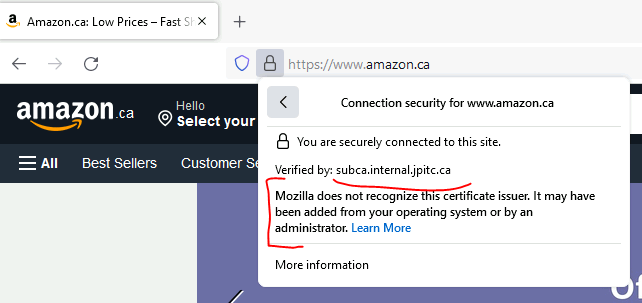
Try to browse and validate if decryption is working.
It will work but as we can see firefox is warning that the certificate was from the OS or added by an admin.
4.2 Use Windows store Link to heading
Another way to deal with this is to change a Firefox parameter that will enable Firefox to trust whats in the Windows Store.
This can be usefull so you dont have to manually add the certificate to firefox.
Open Firefox, type: about:config in the browser
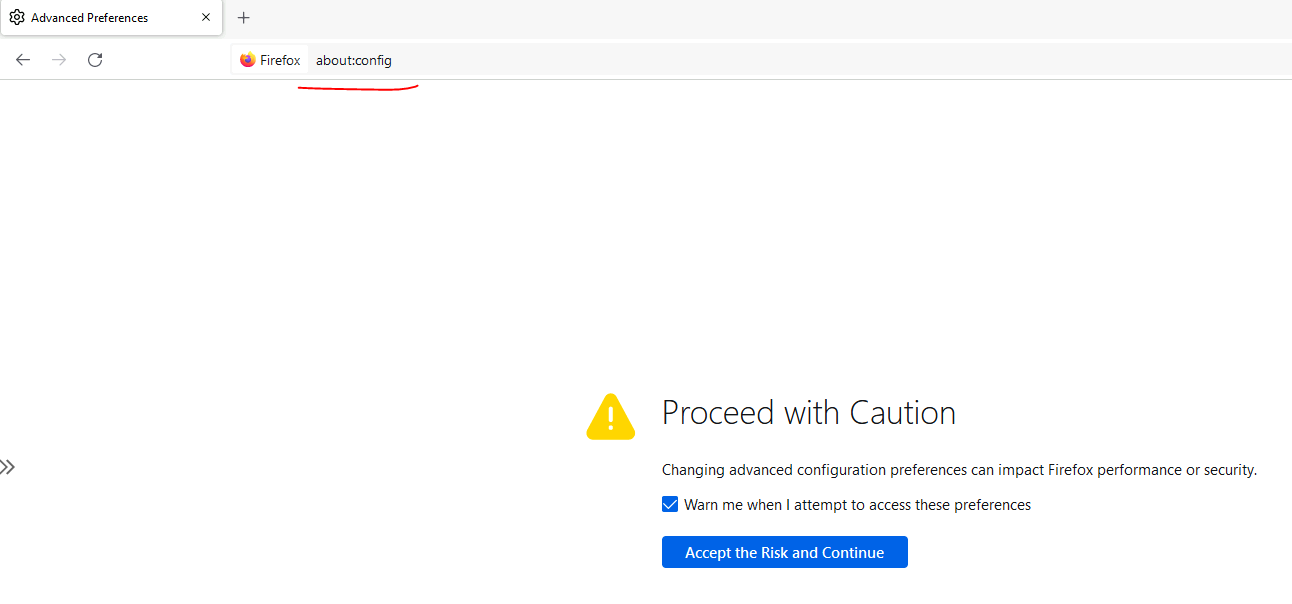
search for the following parameters: security.enterprise_roots.enabled
Change it from False to True.
